Mac Media Player can be used as a great free FLV player on Mac for its user-friendly design that is easy to operate for users within 3 steps. With the video output up to 1080p high-definition quality and DTS5.1 system, this free FLV Player could bring fatastic audiovisual enjoyment under your roof.
Preparations you need to do:
Free trial version of this powerful Media Player is now available on Macgo Official Download Center, or you can click here to download Free Mac Media Player, and then drag its icon to your Application folder.
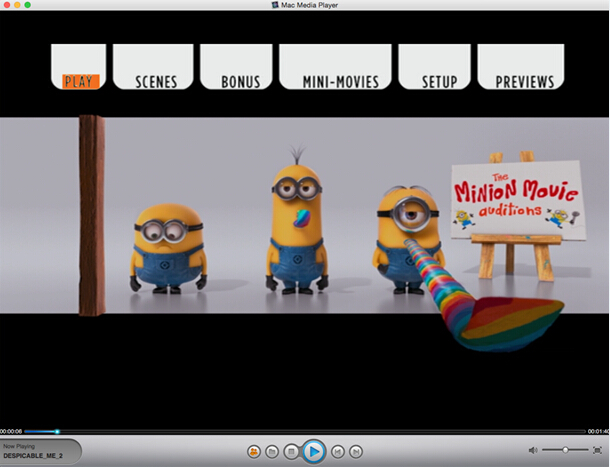
After installing Free Mac Media Player, you can go to "Launchpad" and click on its icon to launch the program. The simplified main interface will reduce certain misoperations. You can see two buttons there: Open File and Open Disc.
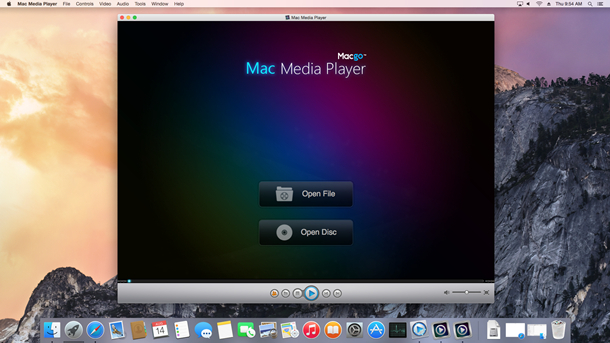
If you want to play a FLV files, just click on "Open File" and select the FLV document you would like to watch from your local multimedia files, and then click "Open".
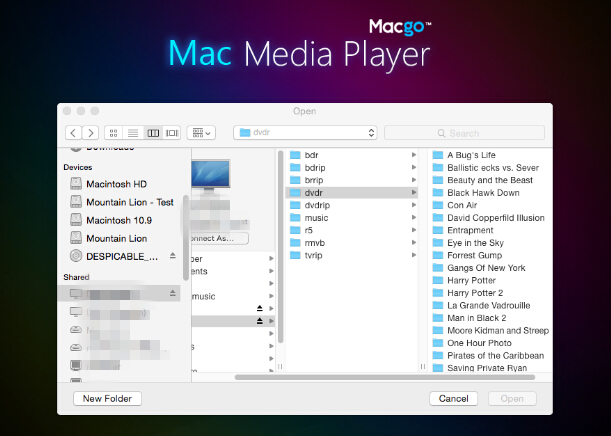
Wait a second till the main menu pops out and you can make some adjustments there according to your own preferences. You can choose where you want to watch in "SCENE SELECTION", or make other adjustments in "SET UP". Then you can directly click "Play Movie" to enjoy some movie time.
The first and best Blu-ray media player for Mac. Support Blu-ray Disc, Blu-ray Menu, ISO files, and BDMV folder.
Mac Download BUY NOW

 Free Mac Media Player