You have got great fun from your Apple, haven't you? In order to satisfy all users, Macgo Inc. released Mac Blu-ray Player 2 serial versions to make sure the iPhone/iPad/iPod touch fans can enjoy the Blu-ray movie which is the only widely-used HD format for optical media and capable of supporting 1080p video by using an exclusive technology - AirX.
Preparations you need to do:
Free trial version of this powerful Blu-ray Player is now available on Macgo Official Download Center, or you can click here to download Mac Blu-ray Player, and then drag its icon to your Application folder.
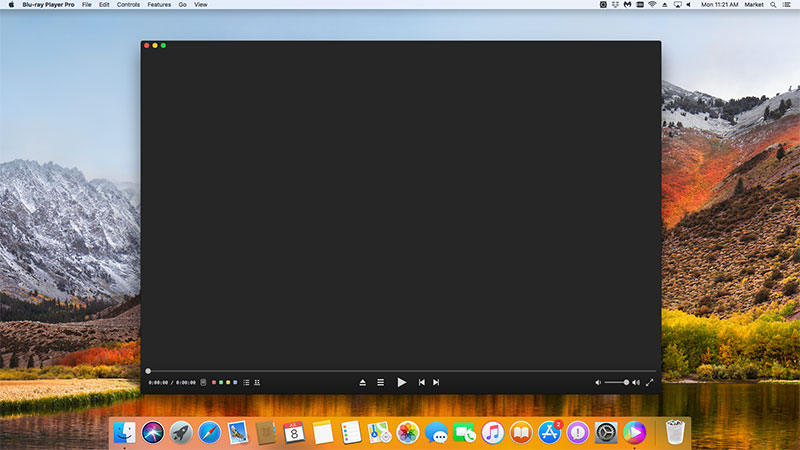
After installing Mac Blu-ray Player, you can go to “Launchpad” and click on its icon to launch the program. The simplified main interface will reduce certain misoperations. You can see two buttons there: Open File and Open Disc.
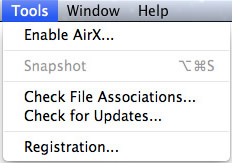
Before inserting Blu-ray disc or playing local movies, you should first enable the “AirX” option under the “Tools” menu which is in the top of the computer. When you click it, a window will pop up: “AirX is Enabled”.
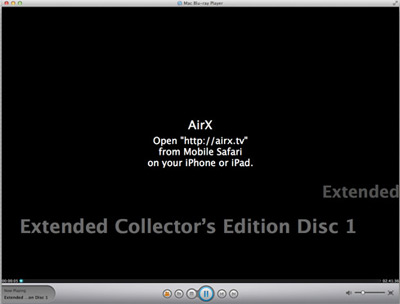
Insert into your Blu-ray disc to your Blu-ray drive and click on "Open Disc" button as is shown in the second step to load the Blu-ray, when the loading is finished the screen will go black and then you can get the website URL "http://airx.tv". If you want to play the Blu-ray files in your local storage, please click "Open Flies" and choose the file you want to play.
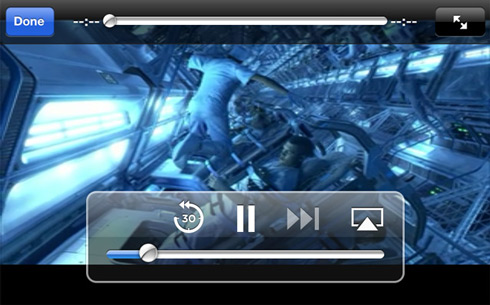
Open "Safari" in your iPod touch and then input the URL above into it. Then the loaded Blu-ray source will be displayed.
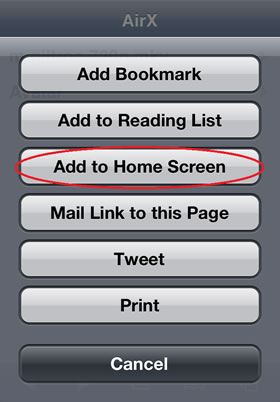
After watching the movie, you can save the URL as a shortcut on the home screen of iPod touch by pressing the save button on your iPod touch and select the "Add to Home Screen" option so that you can open the URL directly next time on your device.
More information about this all-in-one Mac Blu-ray Player and Blu-ray playback on iTouch , iPod, iPhone is in the Blog.
The first and best Blu-ray media player for Mac. Support Original Blu-ray Menu, ISO files, and BDMV folder, etc.
Mac Download BUY NOW

 Mac Blu-ray Player Pro